

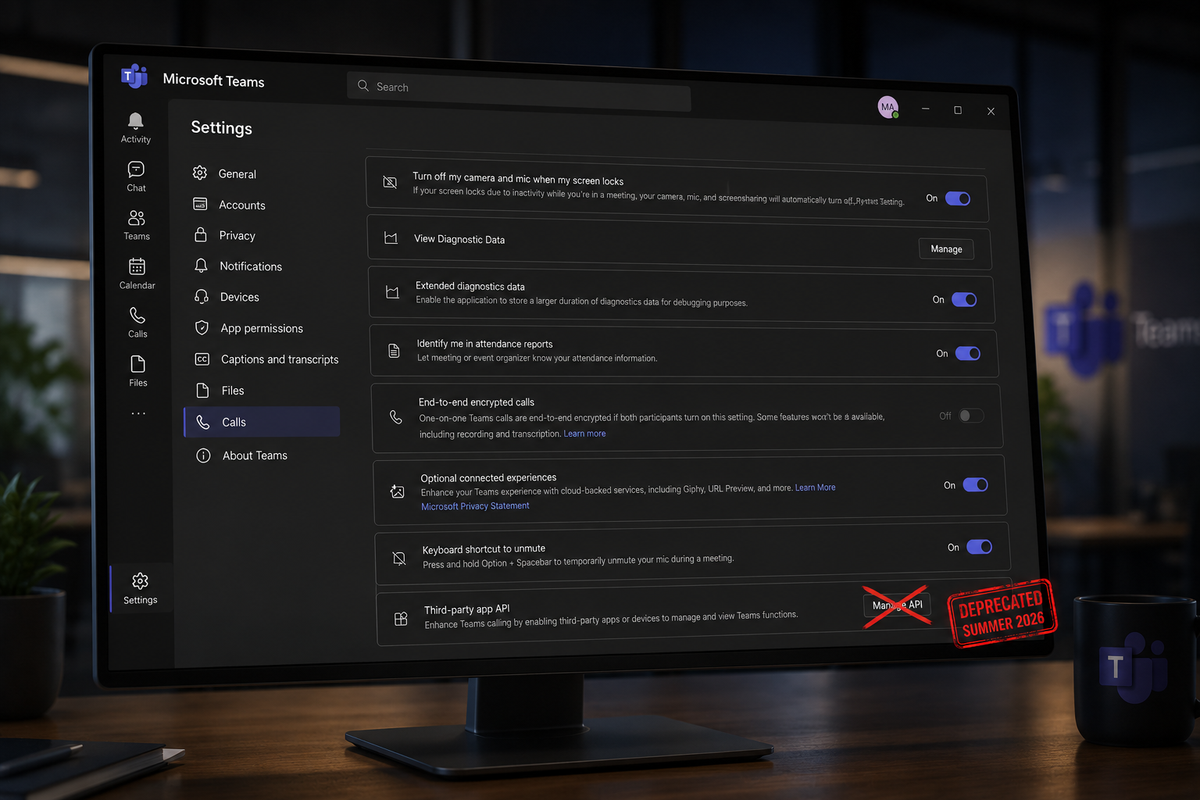
We have important news to share with our Microsoft Teams users. After extensive conversations with Microsoft and careful analysis of their deprecation timeline, we want to give you a clear picture of what's happening and how we're responding.
The Background: How We Got Here
In early 2024, Microsoft introduced a new local API in the "new" Teams client to support third-party hardware integrations. The API was publicly documented and was used to power Microsoft's official Teams integration for the Stream Deck, which quickly became one of the most popular apps in the Stream Deck store.
Around the same time, Microsoft removed the accessibility methods that many third-party products, including MuteMe, had relied on for Teams integration. This effectively forced developers to migrate to the new API if they wanted to continue providing Teams controls to their customers. From our perspective, Microsoft's actions clearly signaled that the API was the intended path forward for hardware integrations.
We raised concerns with Microsoft about the accessibility changes, and many of our customers also contacted Microsoft to explain how important accessibility support was for their workflows.
The API itself was discoverable, stable, and intentionally designed for third-party integrations. It behaved like a supported platform interface and was actively being used by a wide range of projects and hardware vendors to integrate with Teams.
"The API was publicly documented and designed for third-party integrations. From a developer's perspective, it behaved like a supported platform interface and became a natural integration point for hardware and software projects."
— Our team, on the discovery of the Teams API
Microsoft's Position
Microsoft has stated that they are deprecating this API for two main reasons:
According to Microsoft, the API only had around 11,000 monthly active users across the entire ecosystem—well under 1% of Teams' 300+ million users. Based on their telemetry, they felt the API did not meet their security standards and that rebuilding it would not be worthwhile given the limited adoption.
What This Means for MuteMe Users
If you use MuteMe with Microsoft Teams, you may have already noticed some instability or intermittent issues. This is because Microsoft has already stopped supporting the API, and it will be completely turned off this summer.
Without a working API, the direct integration between MuteMe hardware and Teams will no longer function as it currently does. This affects:
- Real-time mute state synchronization — Your MuteMe will no longer automatically reflect your Teams mute state
- Physical button control — Pressing your MuteMe may not control Teams mute as expected
- LED status indicators — The visual feedback showing your meeting status may become unreliable
The Fix Is on the Way
We want to be clear: we have a solution in development. While Microsoft is removing this particular API, we are working on an alternative integration method that will restore full functionality for our Teams users.
Our Approach
We'll be honest—we're going to miss this integration. Having a single, unified method to work with Teams on both macOS and Windows made development simpler and the user experience seamless. Unfortunately, without a supported local API, we now need to take a different path.
Going forward, we will need two dedicated controllers for Teams—one for Windows and one for macOS—similar to how we did things before this API existed. It's not ideal, but it will allow us to provide reliable integration using officially supported methods.
Seemless Integration
Using our new integration method, you won't have to worry about your configuration settings in teams, or integration breaking with the next Teams update.
Works with Free Teams
Unlike the deprecated API which only worked with paid Teams licenses, our new approach will work with the free version of Microsoft Teams as well.
Easy Enterprise Deployment
The new integration method will make it easier for organizations to deploy and manage MuteMe with Microsoft Teams across their infrastructure.
Timeline
Here's what we're looking at:
We Hear You
We know this is frustrating. Physical mute buttons and hardware integrations are not "nice-to-have" accessories for many of our users—they are essential tools for focused work, accessibility needs, and efficient meeting management.
We share your frustration with this decision. We believe Microsoft may be underestimating the real-world impact of removing this capability. However, rather than fighting a battle we cannot win, we're focusing our energy on building a better solution.
"These aren't just 'enthusiast' setups. For a lot of users, especially in focused work environments or accessibility scenarios, a physical control is meaningfully different from a keyboard shortcut or UI interaction."
— Why this matters
We want to thank everyone who has reached out to us about this issue, shared their stories, and provided feedback. Your voices matter, and we take them seriously.
Stay Updated
We'll keep this page updated as we have more information. If you have questions or concerns, please don't hesitate to reach out to our support team.
Questions about your specific setup? Check our FAQs or contact us directly.

